AcreEyes Pro · for agents and active land buyers

Screen properties faster.

25 complete parcel reports each month with your logo on them, your own report library, side-by-side Compare and share links for clients — in the AcreEyes Land Console, in ChatGPT and through the API.

See a report with your brand on it ↓

Secure checkout by Stripe.

For agents and brokerages

Your brand on every report

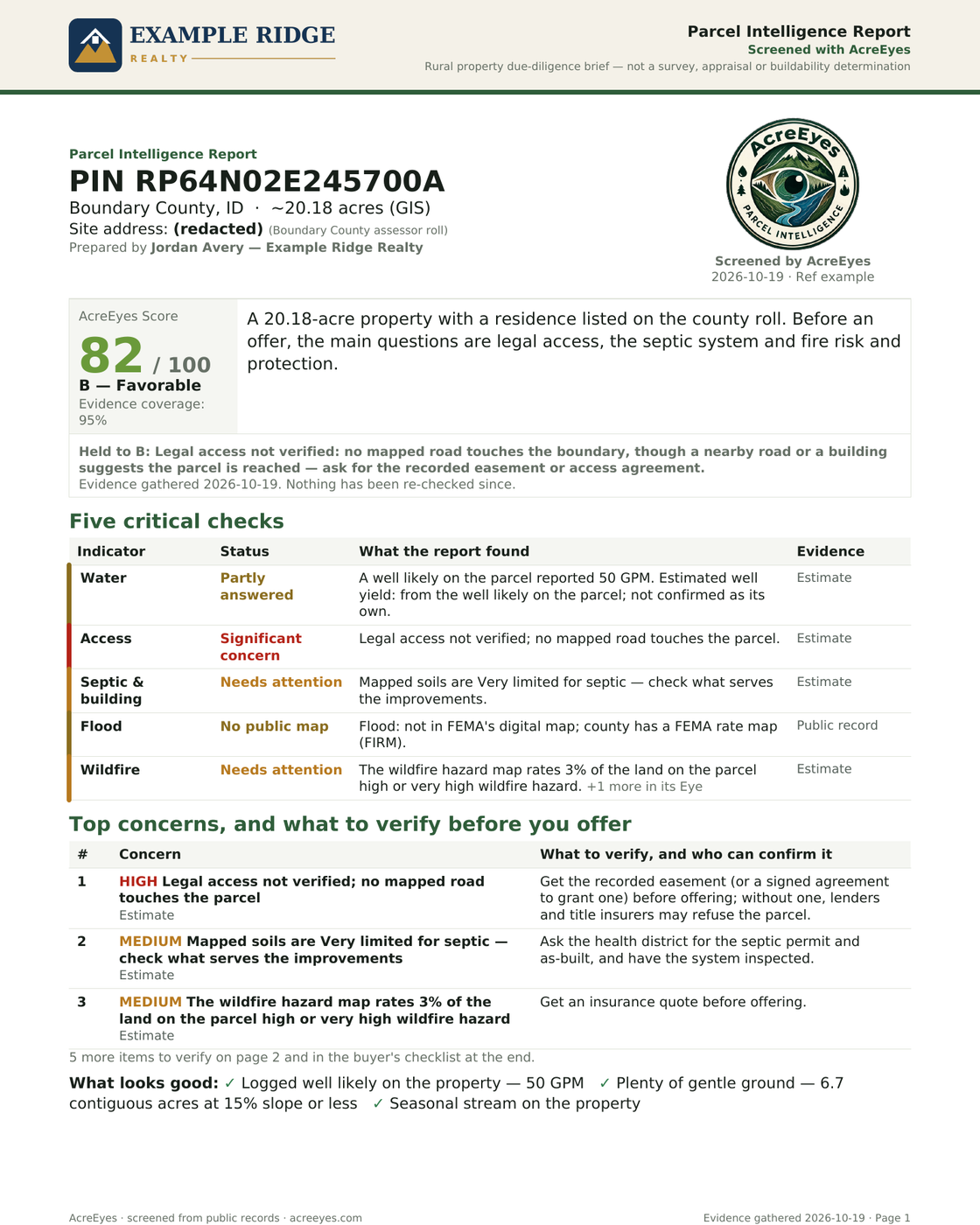
Page 1 of an AcreEyes report sent by a sample brokerage: its logo across the top, its agent's Prepared-by line on the cover, and Screened with AcreEyes beside the report title
A Pro member's report. The brokerage is a made-up example.

Hand clients a parcel report that looks like it came from your office, because it did.

  • Your logo, not ours. Upload it once and it takes the top of every PDF you download and the header of every share link you send.
  • Your name on the cover. A "Prepared by" line for you or your brokerage, and "Prepared for" your client on share links.
  • Backed by the screening. Every report still says "Screened with AcreEyes" and keeps the seal, the sources and the full disclaimer, so clients can see where the evidence came from.
  • Ready for listings. Share links carry a QR code back to the interactive report, and you can download it for a flyer.
  • Included in AcreEyes Pro. No add-on and no setup fee. It's on from your first report.

Set it up in a minute

  1. Open your console: Account → Custom branding.
  2. Upload your logo (PNG, JPEG or WebP, under 2 MB; a wide logo on a transparent background prints best).
  3. Download any report or send a share link. Your logo is already on it.
What you get

Inside the AcreEyes Land Console

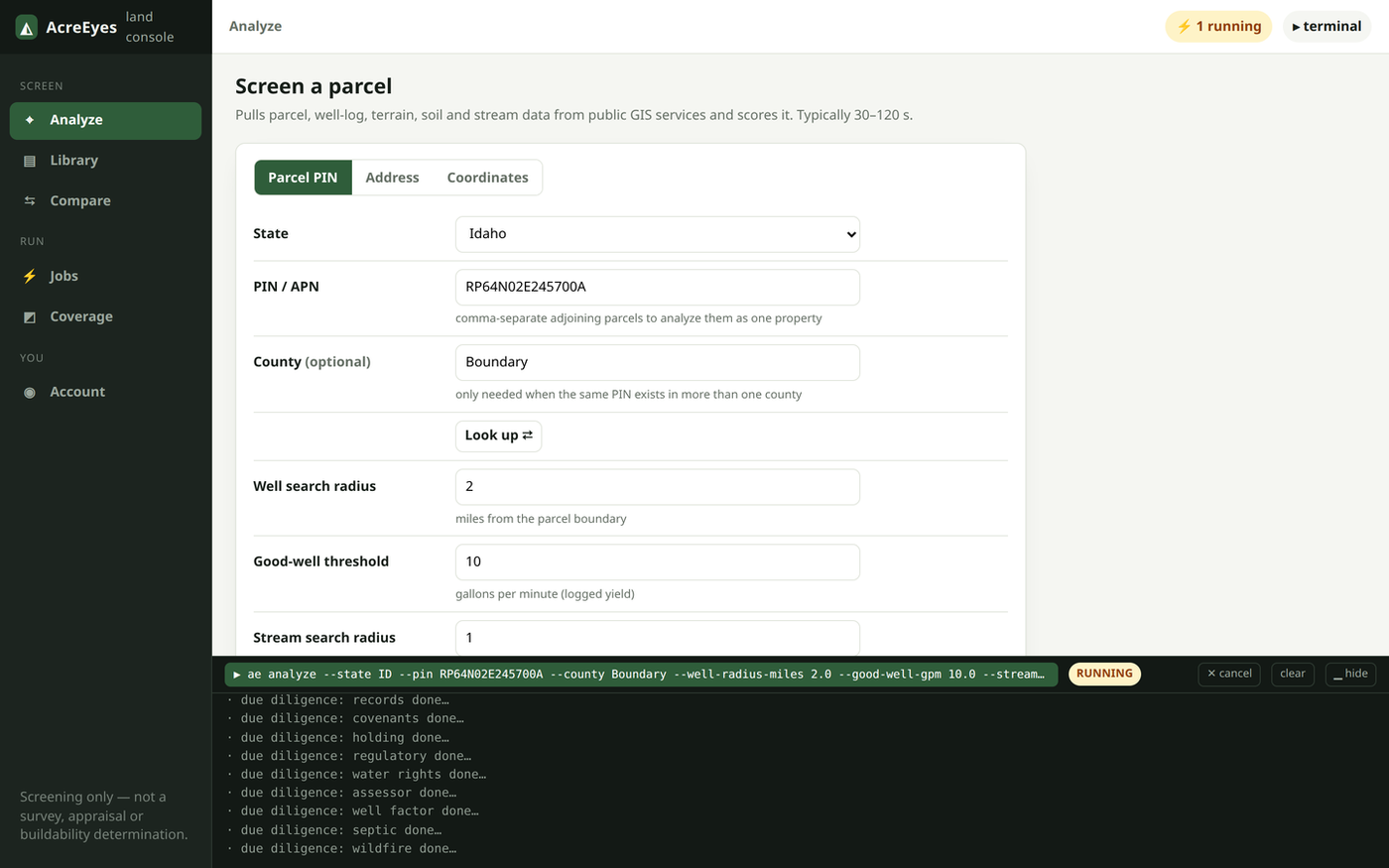
  • The console's Analyze screen: a parcel PIN entered and an analysis running, with progress lines in the terminal below

    Analyze

    Run a parcel by PIN, address or point

    Start an analysis and watch every lookup finish in the live terminal, usually in a minute or two.

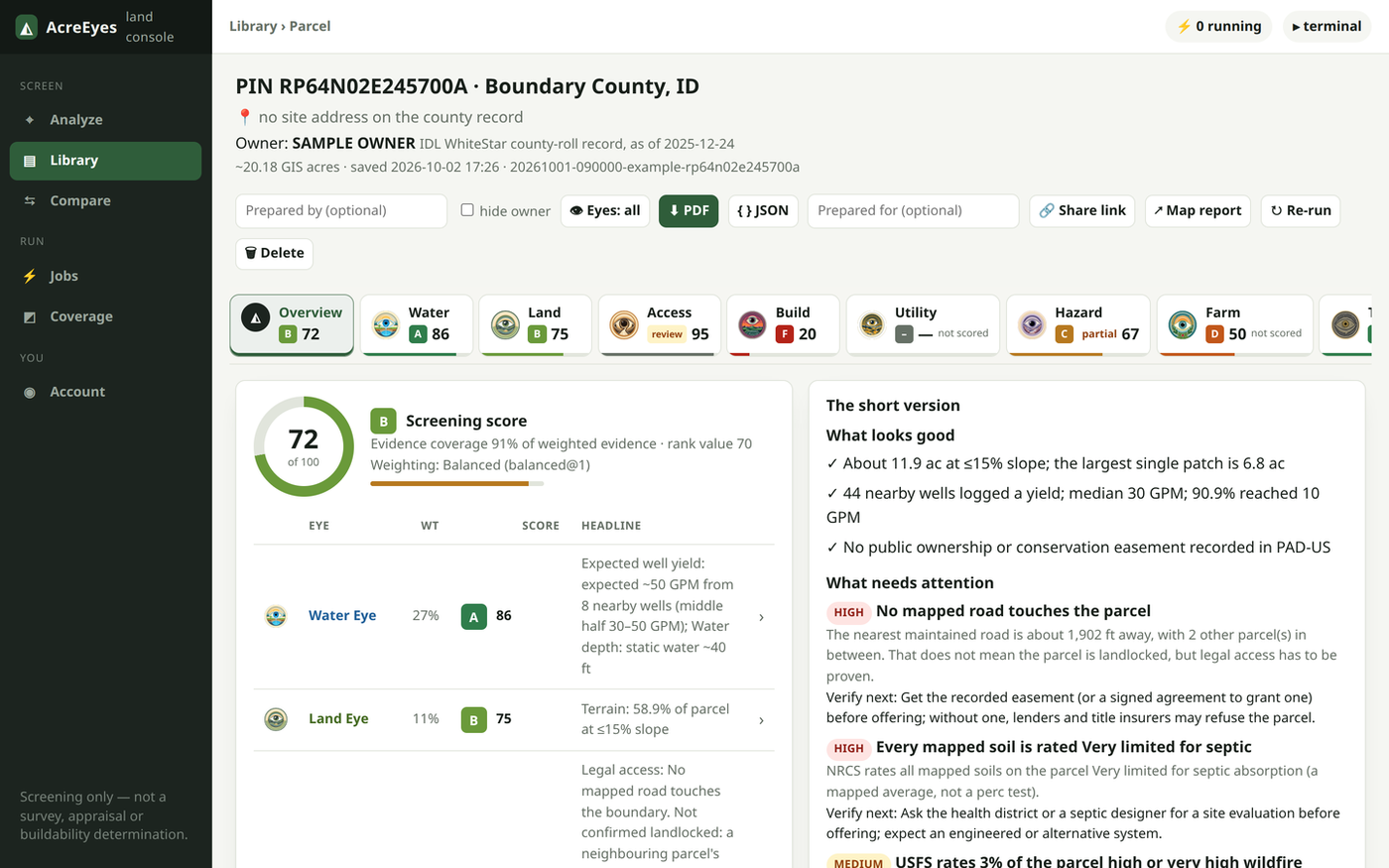
  • A parcel report in the console: the eight Eyes with their grades across the top, the AcreEyes Score and the short version below

    Report

    All eight Eyes in one strip

    Each report opens on its overview: the AcreEyes Score, what looks good, what needs attention and what to verify next.

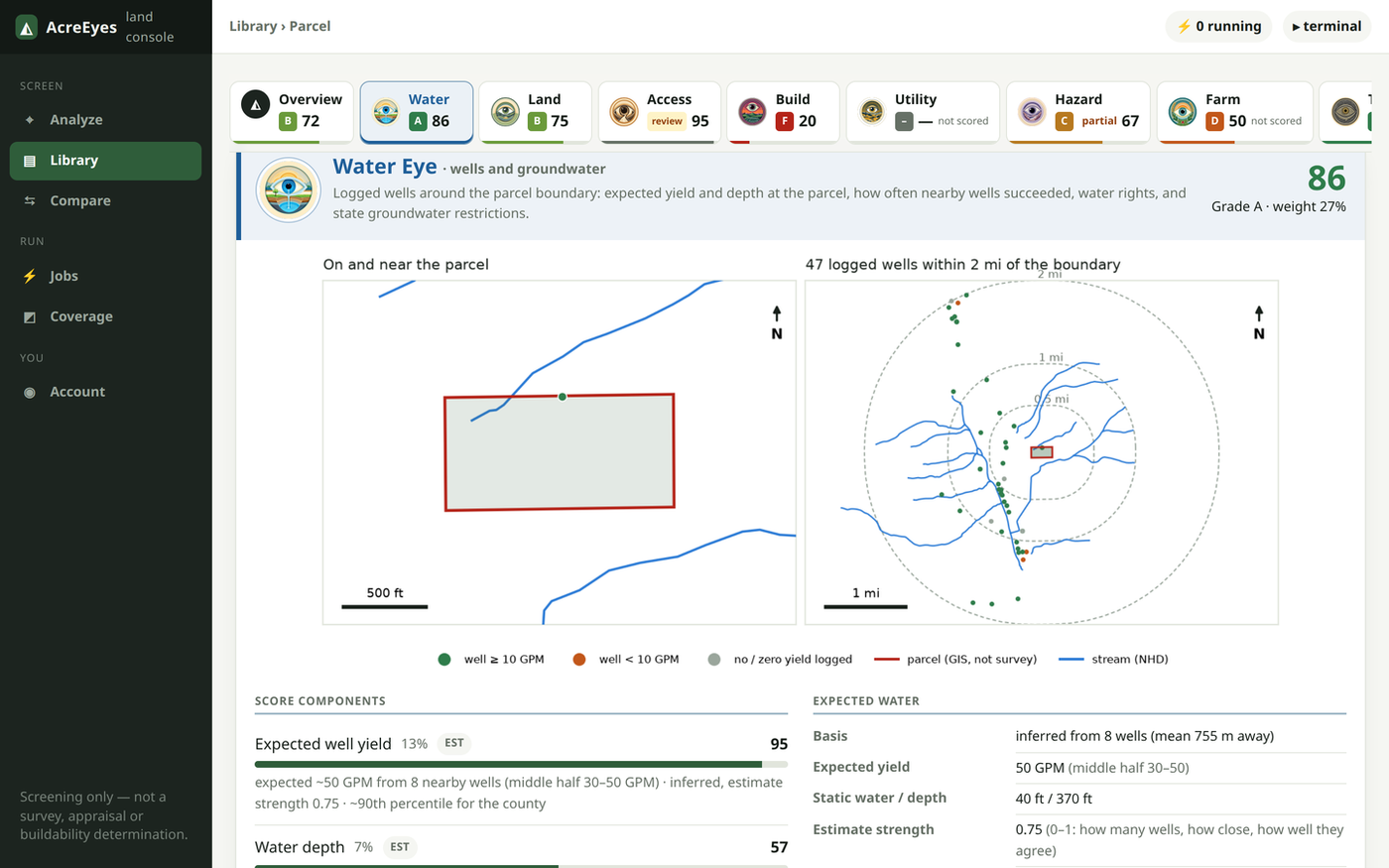
  • The Water Eye in the console: the parcel with nearby streams, and a map of logged wells within two miles of the boundary

    Evidence

    Open an Eye for the records behind it

    Maps, the evidence each grade rests on and anything that could not be checked. Here, the Water Eye's well map.

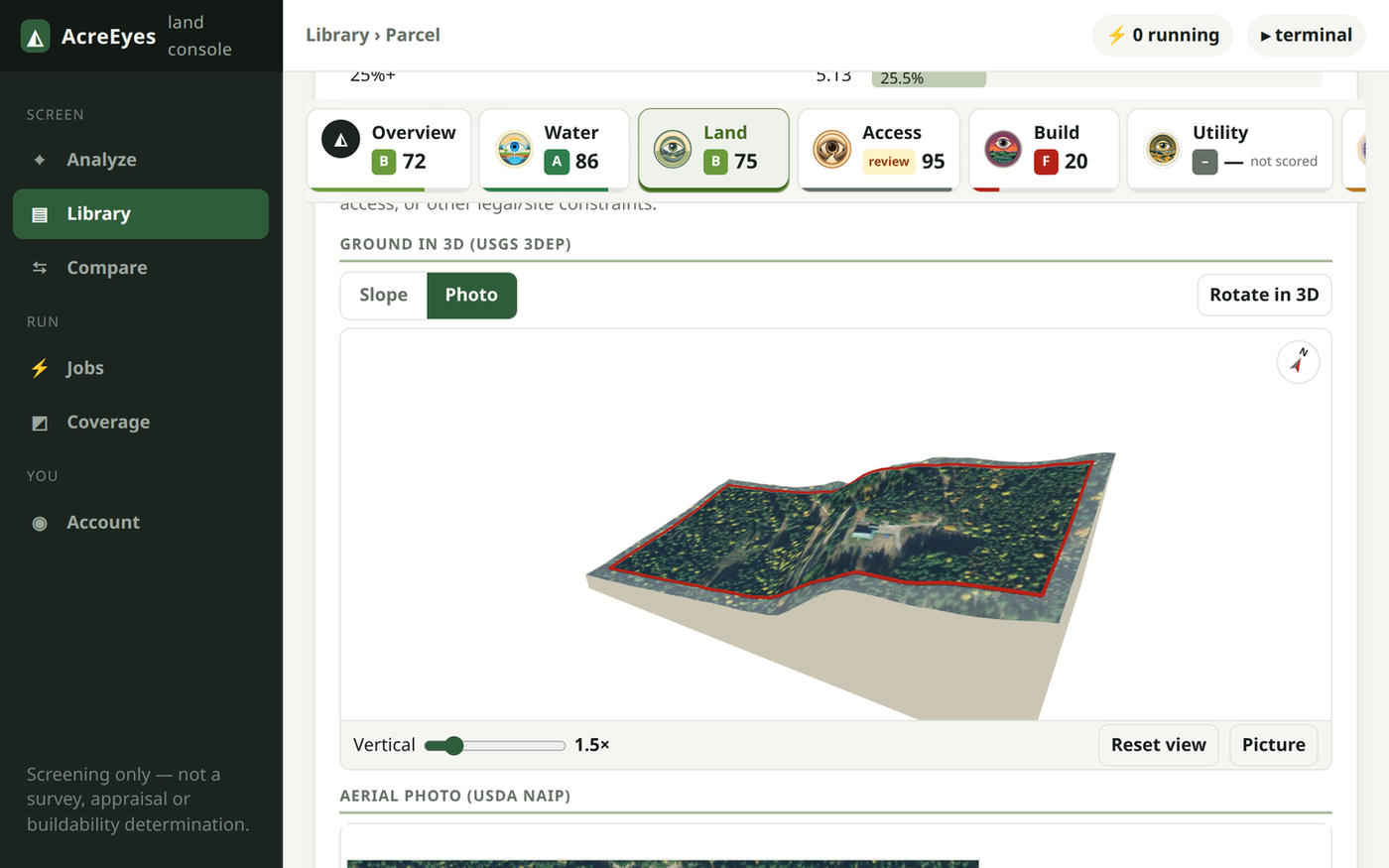
  • The parcel's terrain in an interactive 3D view, draped in the aerial photo with the parcel line in red

    3D terrain

    Turn the ground in 3D

    Orbit the parcel's terrain, draped in the aerial photo or coloured by slope, before you drive out.

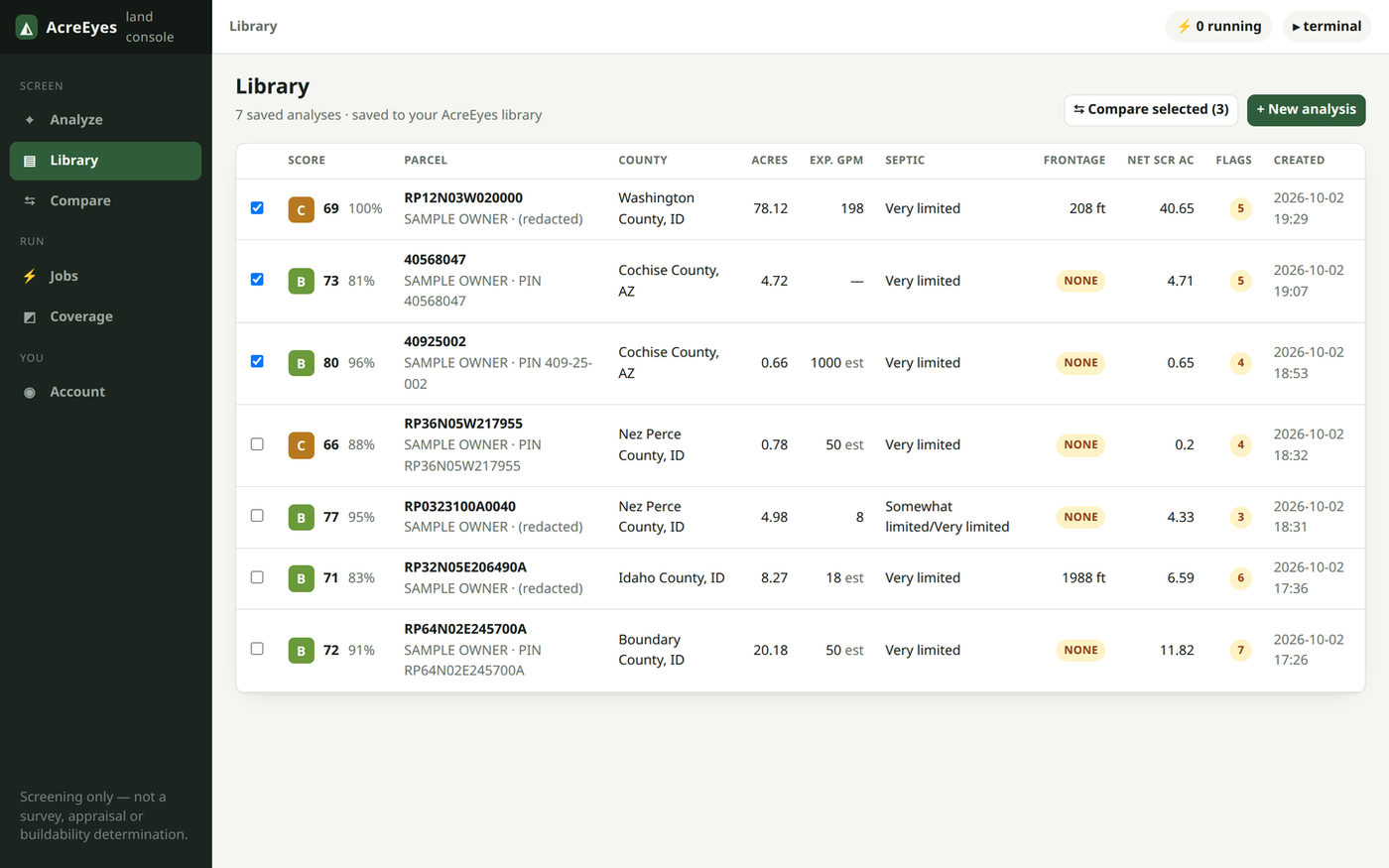
  • The report library: saved parcels with grade, score, acres, expected well yield, septic rating and road frontage

    Library

    Every parcel you've run, in one place

    Score, water, septic and road frontage at a glance. Reopen any report, or tick a few to compare.

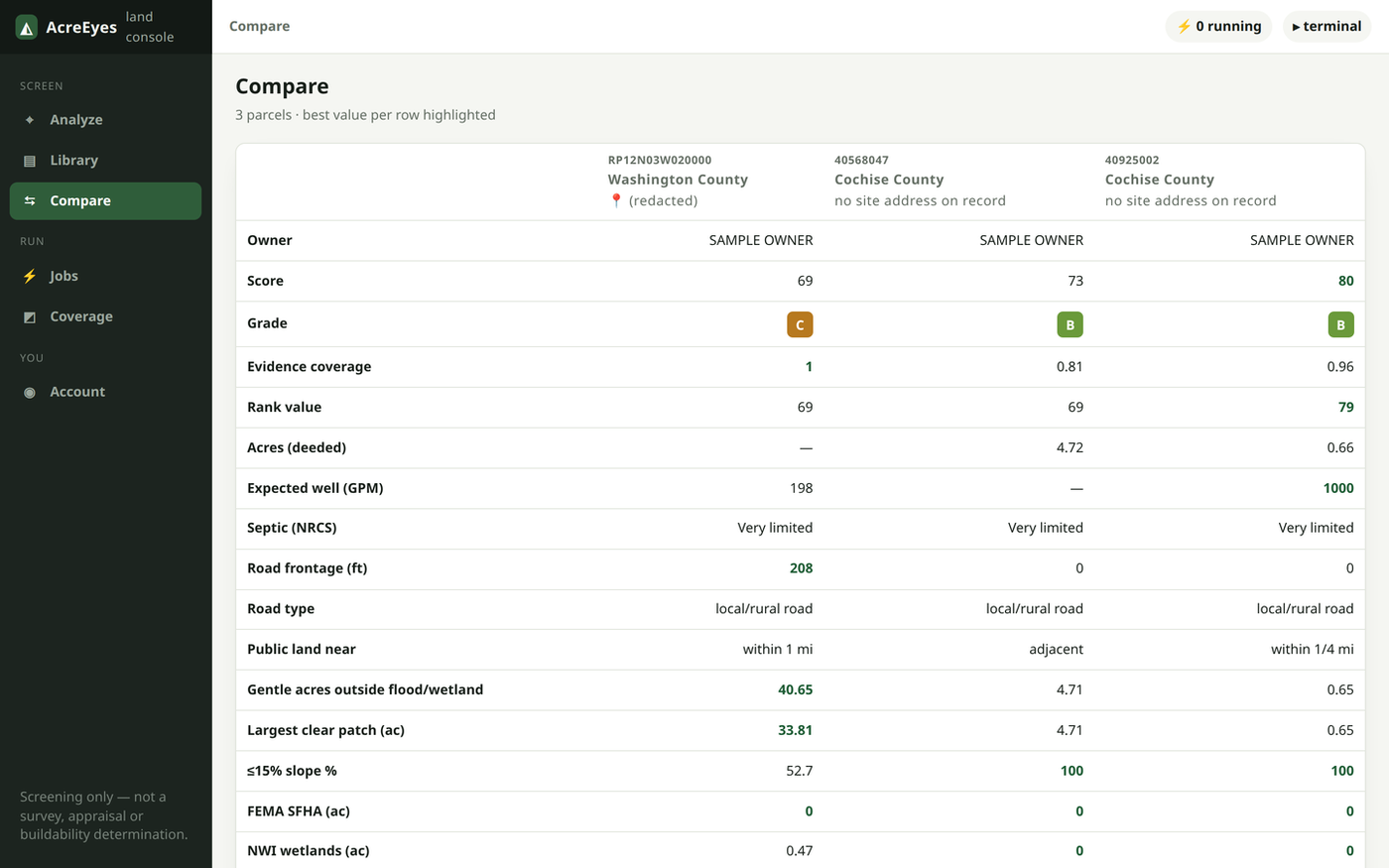
  • Three parcels compared side by side, row by row, with the best value in each row highlighted

    Compare

    Up to six parcels side by side

    The same rows for every parcel, with the best value in each row highlighted.

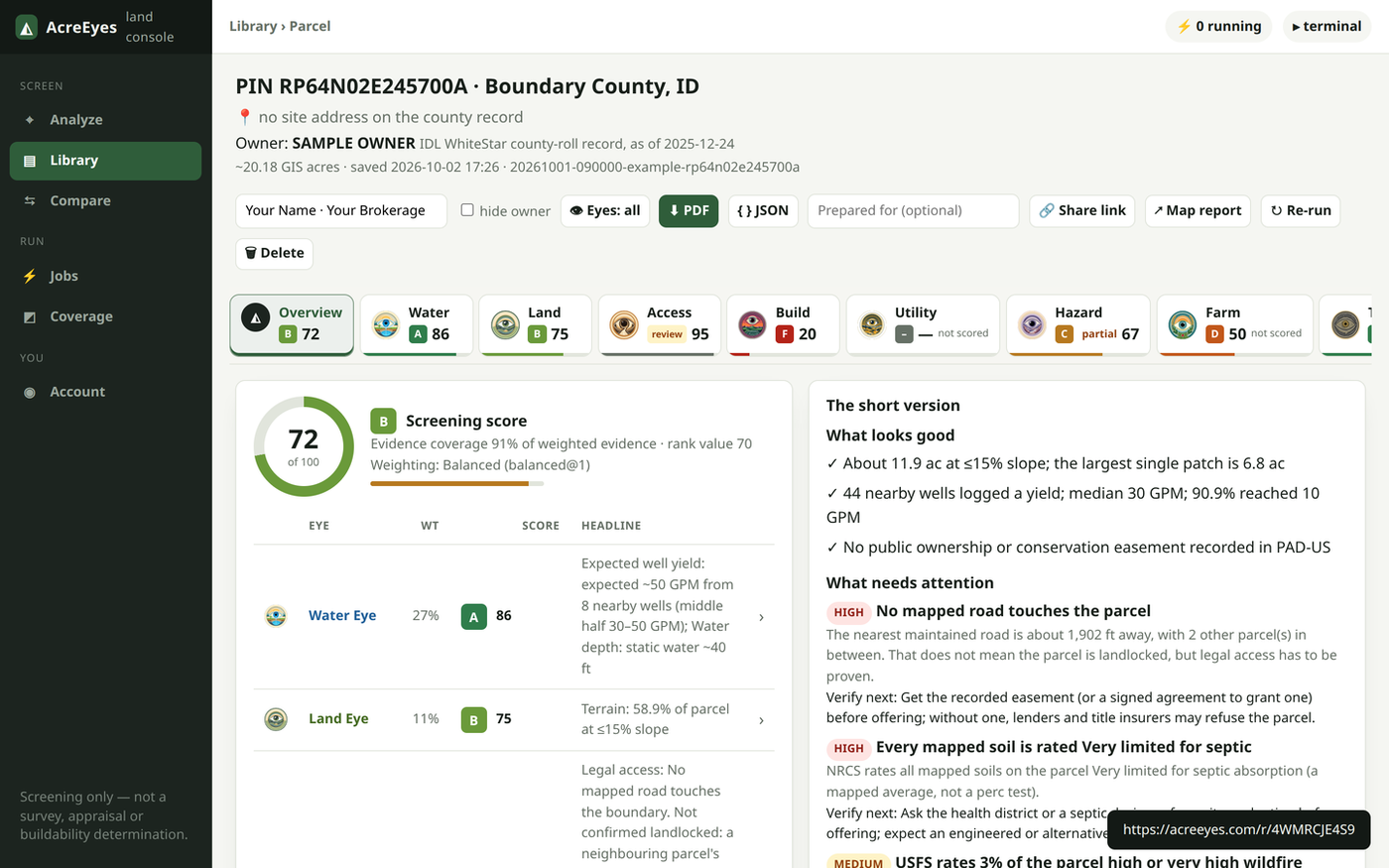
  • A report with a Prepared-by line filled in and a newly minted acreeyes.com share link

    Share

    Send it under your name

    Put your Prepared-by line on the PDF, and mint a share link to text a client, a lender or a partner.

New in AcreEyes Pro

Use AcreEyes from ChatGPT and your own code

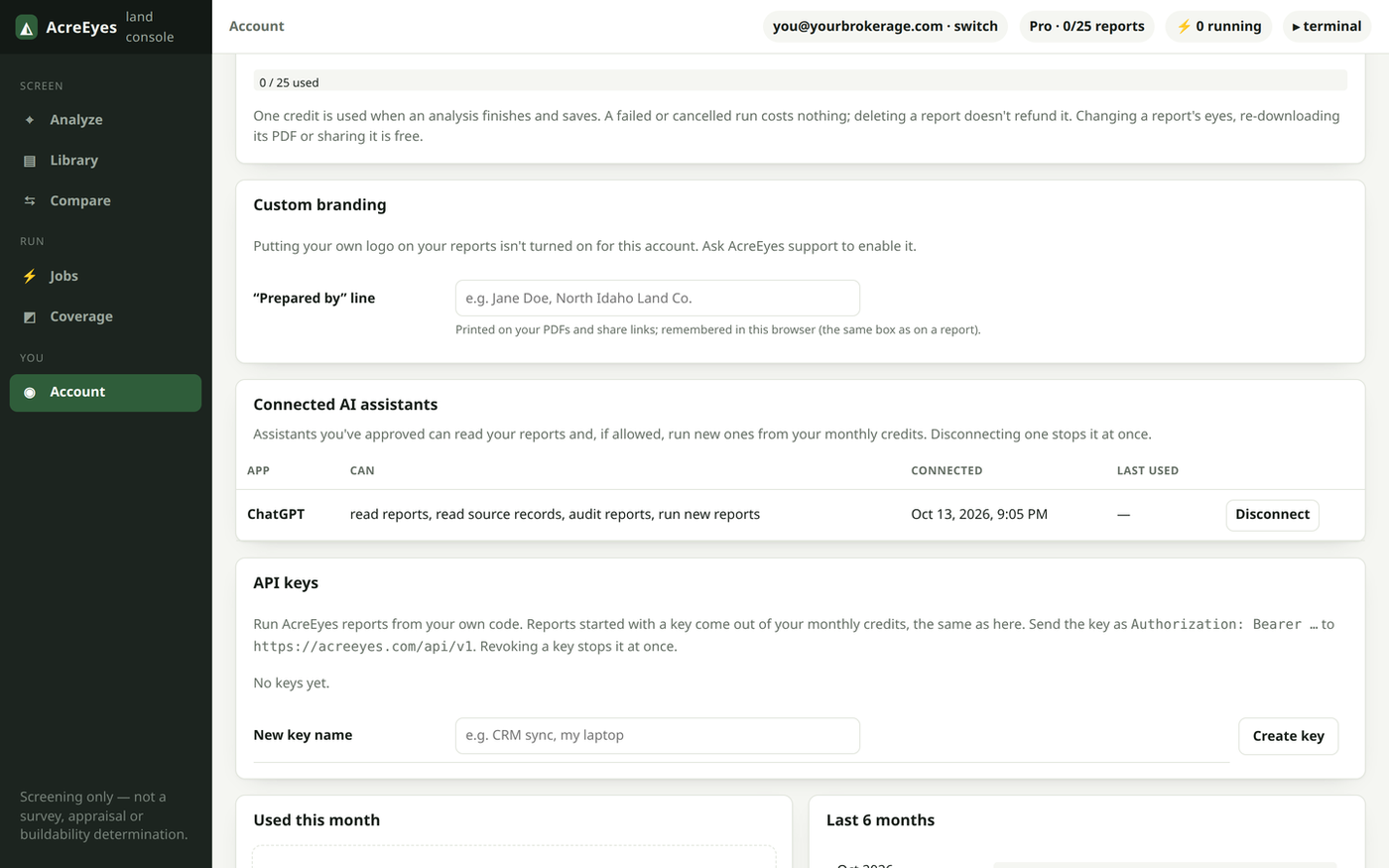
A Pro member's Account screen in the console, with ChatGPT listed under Connected AI assistants and a Disconnect button

ChatGPT

Screen a listing without leaving the chat

  • Ask in plain words. Give ChatGPT a parcel number or an address and it runs the full AcreEyes report for you.
  • Answers from your report. The score, each Eye's findings, the public records behind them and what couldn't be checked.
  • Compare in the conversation. Put up to six parcels from your library side by side.
  • Same 25 reports. A new report uses one. Reading, comparing and checking reports you've already run costs nothing.
  • You stay in control. You approve the connection with your AcreEyes sign-in, choose what it may do, and disconnect it any time from your console.

Connect it

  1. In ChatGPT, add a connector with the URL https://mcp.acreeyes.com/mcp.
  2. Sign in with the account you subscribe with, and approve.
  3. Ask it to screen a parcel by its number or address.

Works with other AI assistants that support MCP connectors too. ChatGPT connectors depend on your ChatGPT plan. The assistant restates your report in its own words. The report is the record.

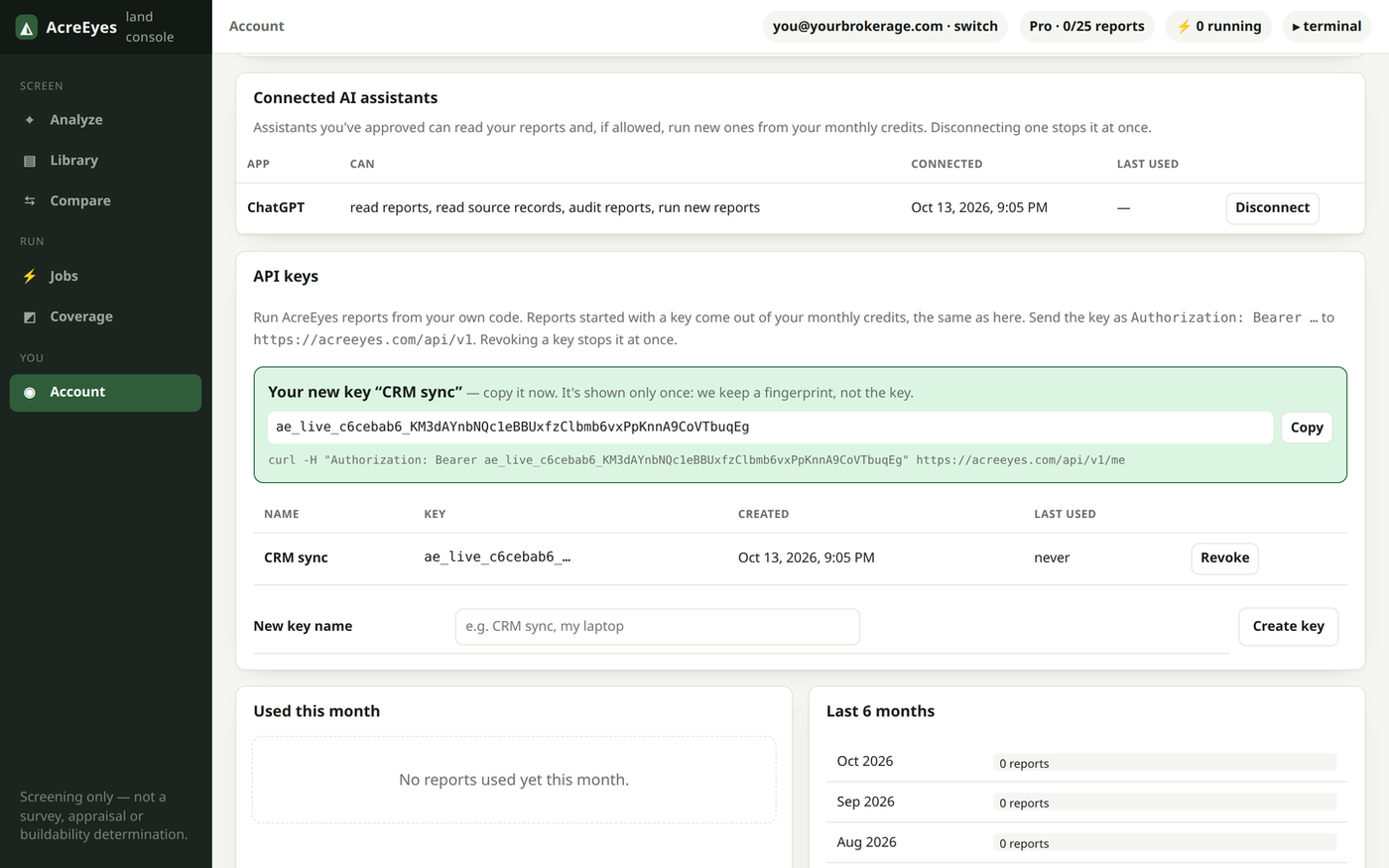
The API keys card on a Pro member's Account screen: a newly created key shown once with a Copy button, and the member's keys listed below

API

The same report, from your own code

  • Parcel in, report out. Send a parcel number, address or map point and get the full report back as JSON and as the PDF.
  • Fits your workflow. Feed your CRM, listing sheets or deal pipeline with plain HTTPS, or a one-file Python client with no dependencies.
  • Built for automation. Watch each run's progress live, and retry safely: a repeated request is never charged twice, and failed runs are free.
  • Same 25 reports. API runs come out of your monthly allowance, with no separate plan to buy.
  • Keys in your hands. Create a key in seconds from your console, name it for what uses it, and revoke it the moment you don't need it.

Get started

  1. Create a key in your console: Account → API keys.
  2. Send it as Authorization: Bearer ae_live_….
  3. POST /api/v1/runs with a parcel, then fetch the report — the full API reference has every endpoint.

The API guide walks through a first report, the Python client and the report JSON.

What's in AcreEyes Pro

  • 25 reports a month

    Complete parcel reports — all eight Eyes, maps and 3D terrain — every calendar month. Currently available in Idaho, Montana, Arizona, Wyoming, California (5 counties), Nevada (15 counties), Oregon (7 counties) and Washington (35 counties).

  • Your report library

    Every parcel you've run, in one place, ready to reopen or send.

  • Compare parcels

    Put up to six parcels from your library side by side.

  • Shareable reports

    A share link for each report to text a client, a lender or a partner.

  • Your logo and Prepared-by line

    Your logo at the top of the PDFs and share pages you send, and your name on the cover.

  • ChatGPT connection

    Run, read and compare your AcreEyes reports from a ChatGPT conversation.

  • API access

    The same report as JSON and PDF, from your own code or CRM.

How it works

  1. Subscribe

    With the email you'll use for AcreEyes.

  2. Open the console

    Open acreeyes.com/app signed in to that same account.

  3. Run parcels

    Up to 25 reports a month, saved to your library to compare and share.

Only need one parcel? Analyze a single property — no subscription. Compare plans.

Built for early property due diligence. Surveys, title, septic approval and permits still need a professional. See report limitations